
ClashMac 27.0

Native Proxy Experience Built for macOS

SwiftUI native architecture. Dual-mode proxy. Traffic analytics, and route map — see your network in flight.
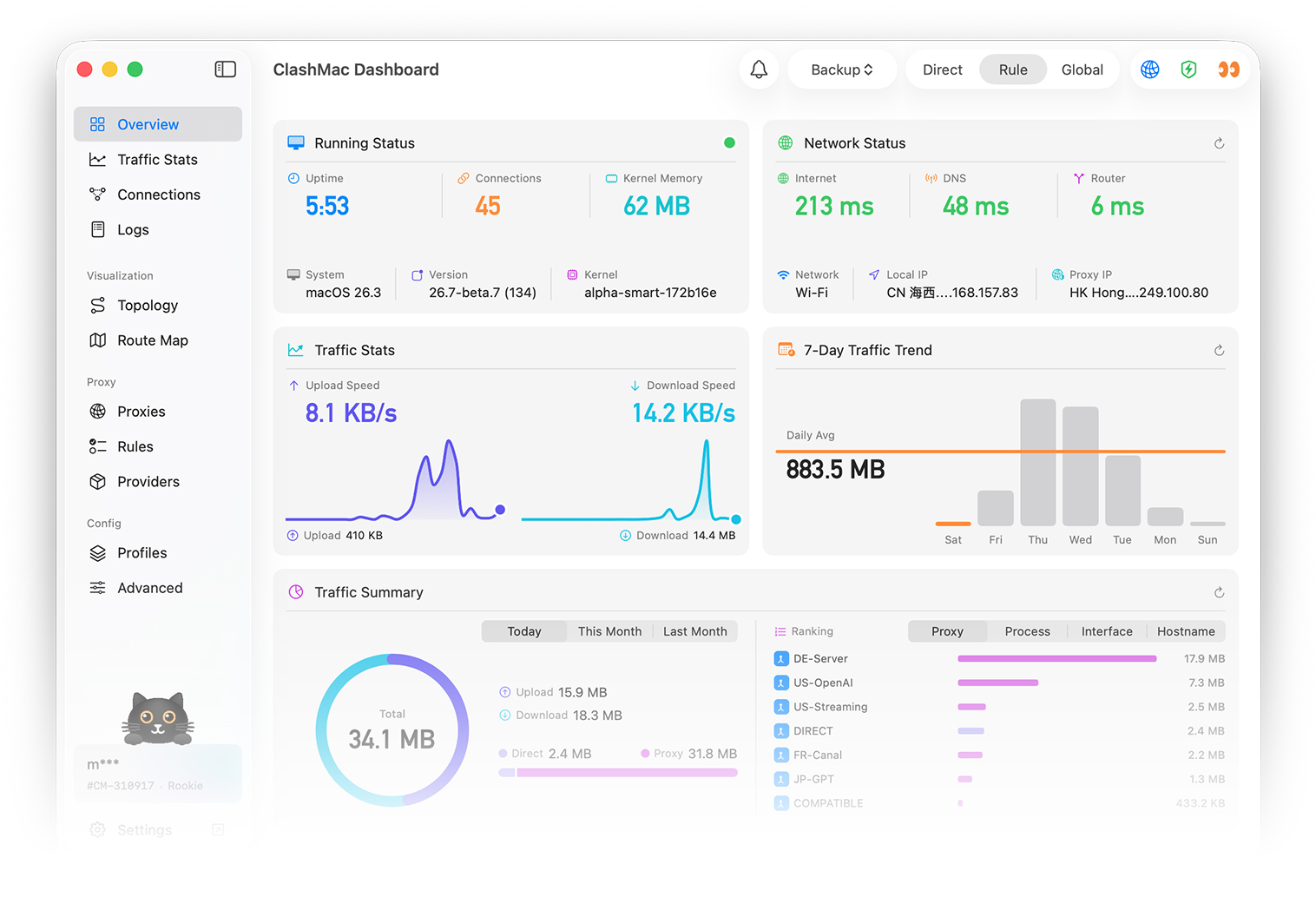
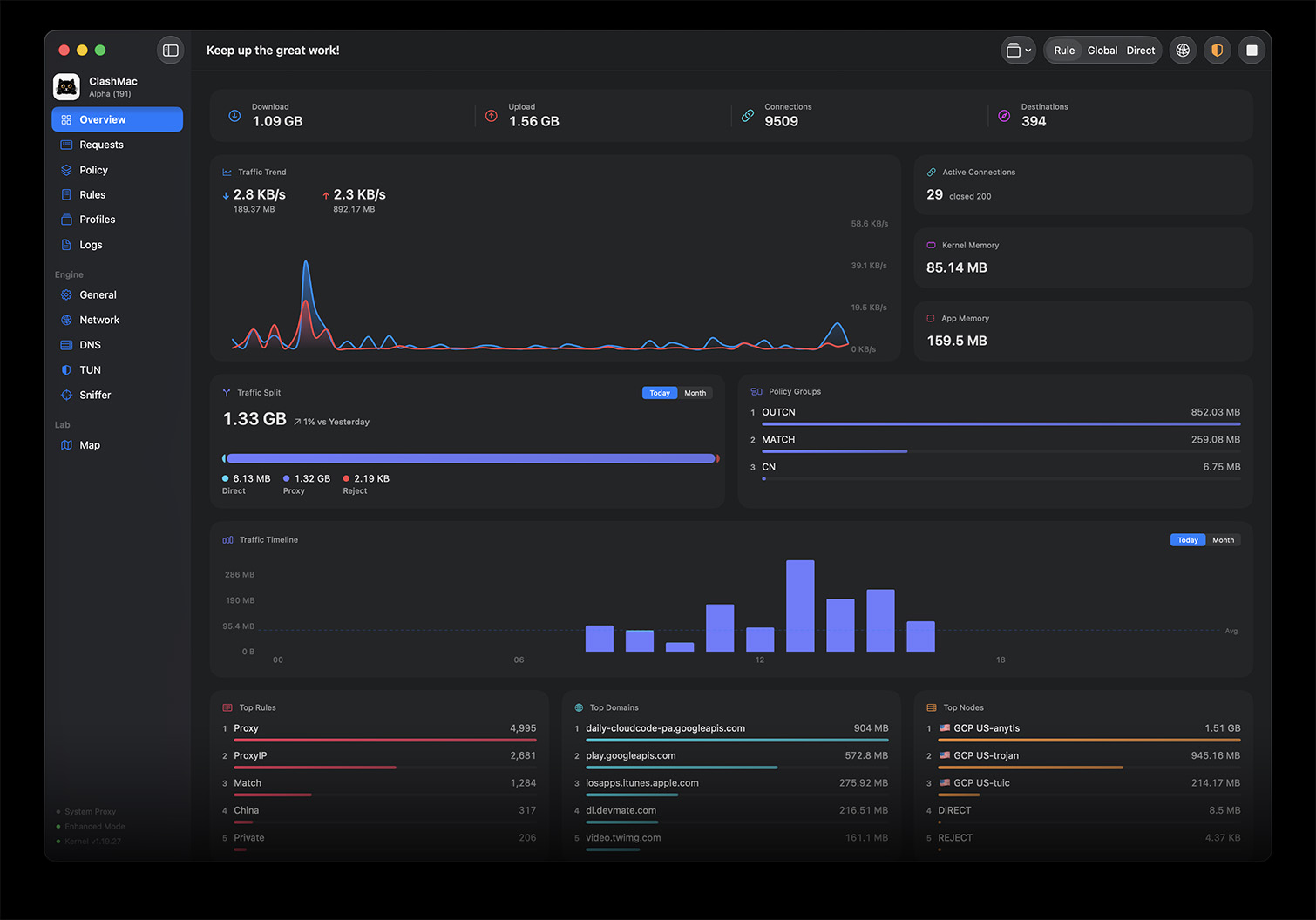
ClashMac Dashboard ClashMac Dashboard

Micro Tray Dashboard

A zero-intrusion tray utility built natively for macOS. View critical stats and manage proxy nodes instantly.
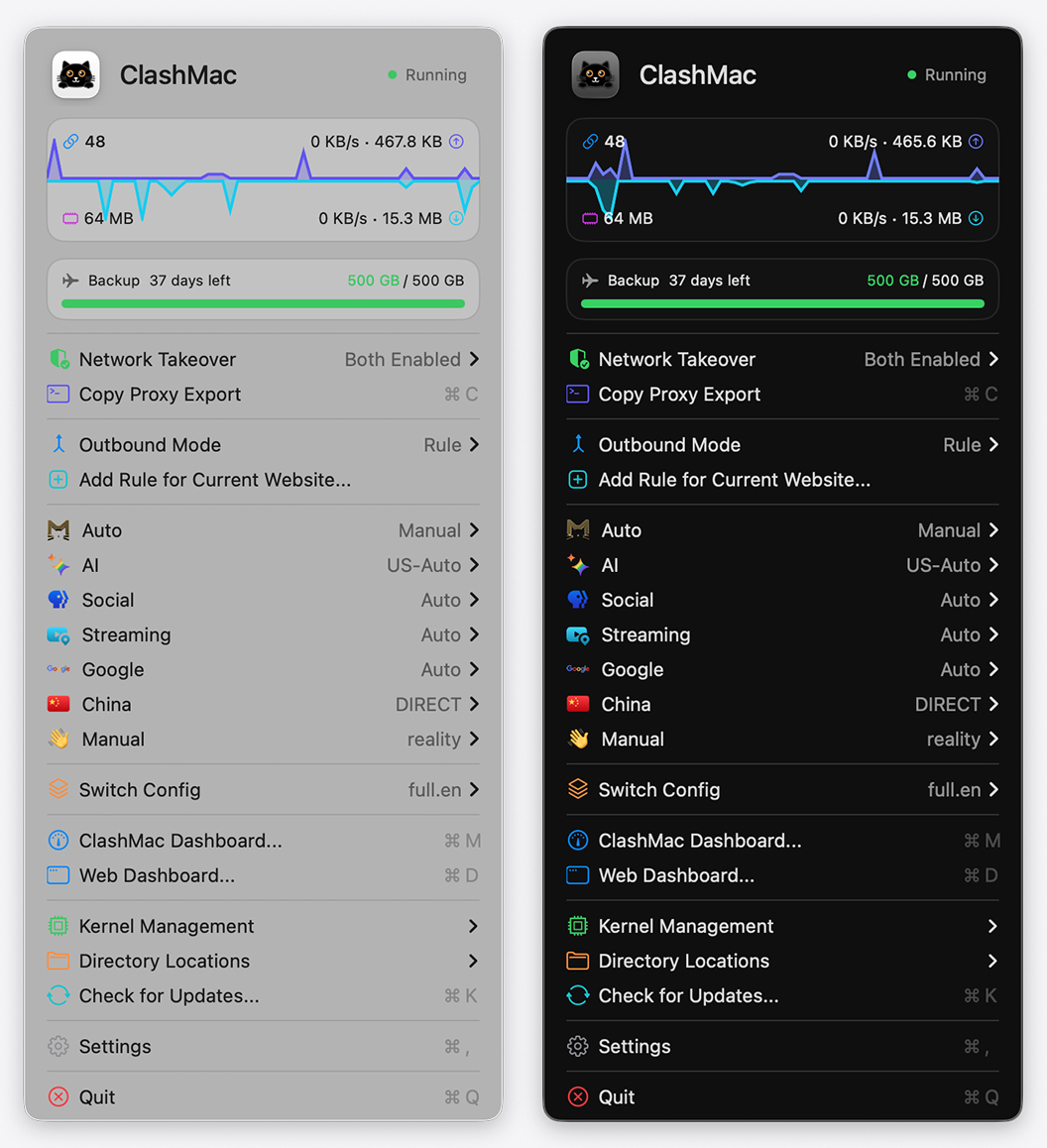
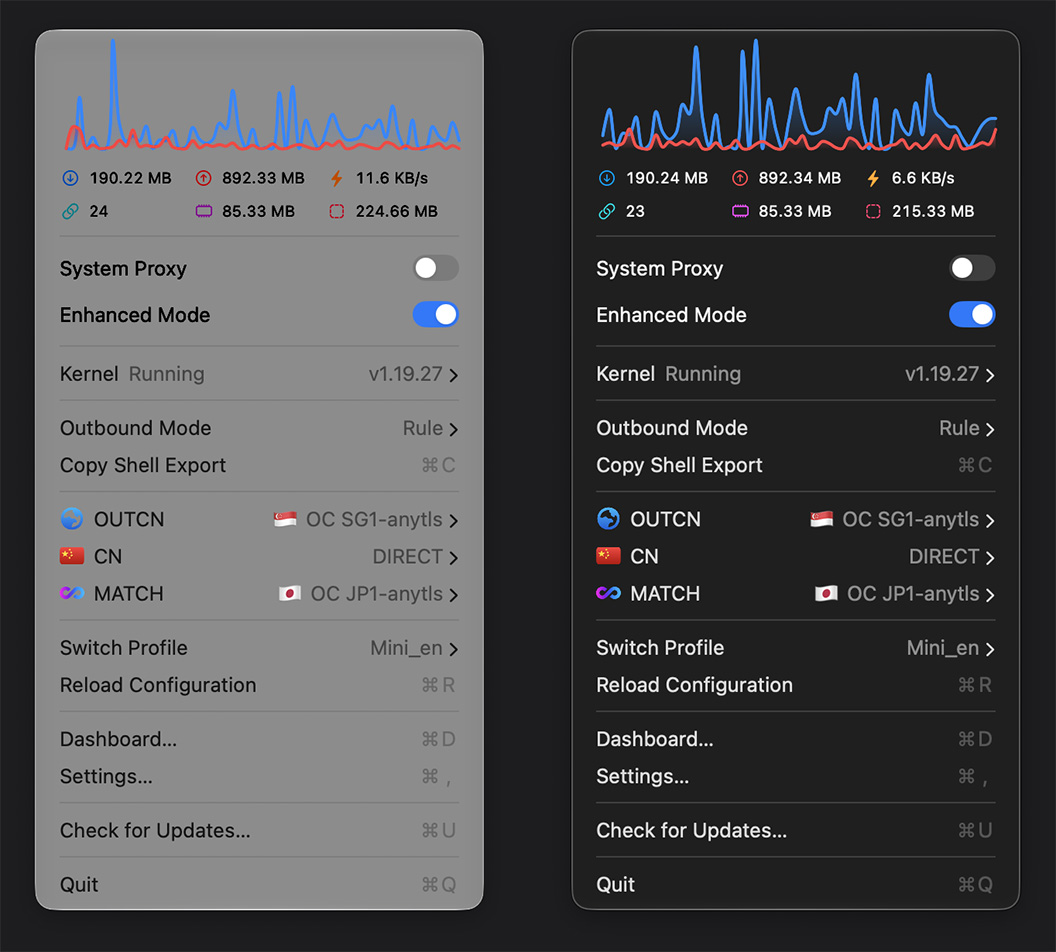
  • Anti-Shake Speed Tray: 3 display modes.
  • Live Performance Graphs: 24s speed wave lines.
  • Inline Latency Testing: Color-coded latency badges.
  • SSID Bypass & Rules: Auto-bypass trusted Wi-Fi.
  • Native Command Binds: Native shortcuts (⌘S / ⌘E / ⌘C / ⌘D).
Learn more about Menu Bar ➔
ClashMac Menu Bar ClashMac Menu Bar

Visualize Your Journey

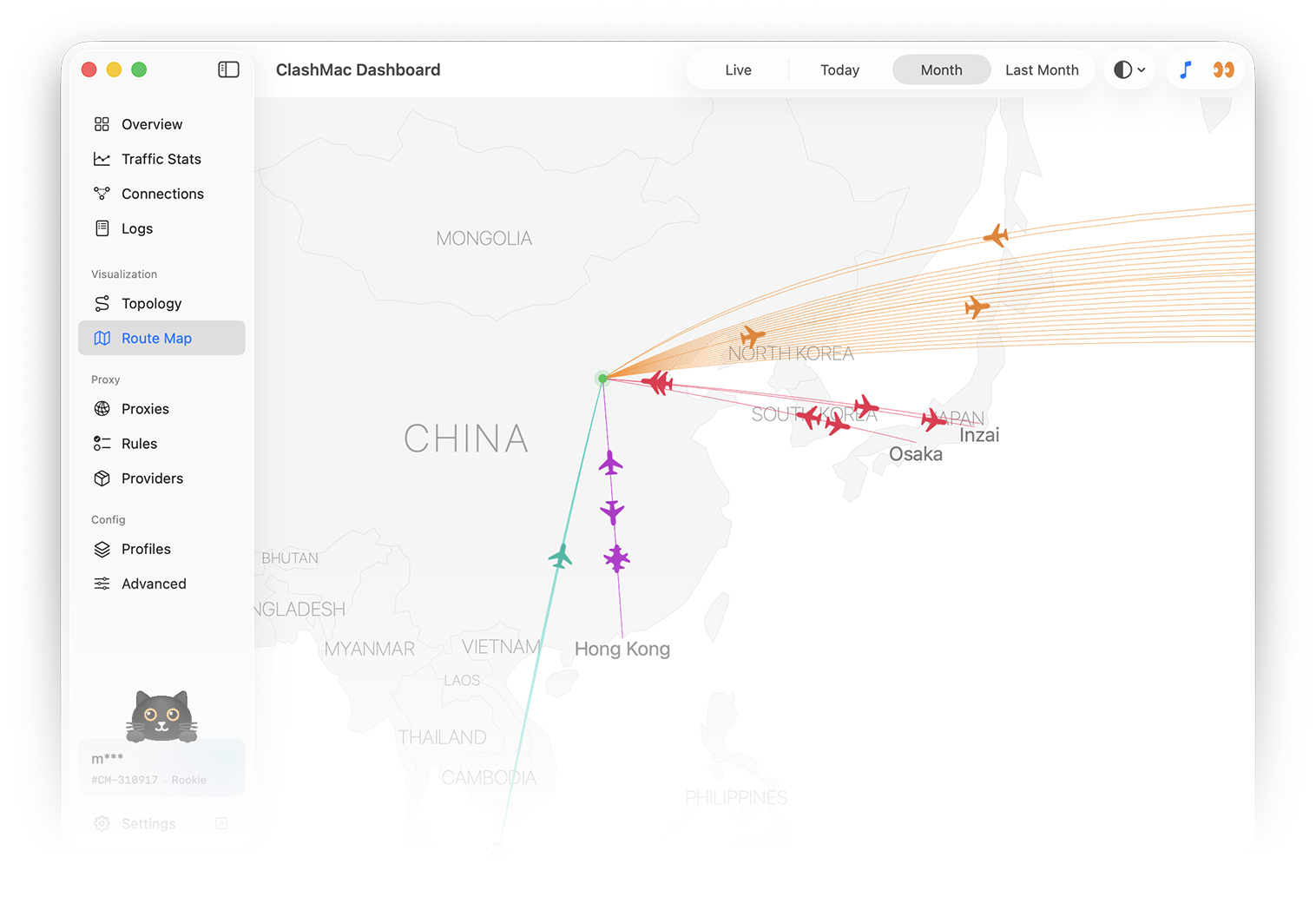
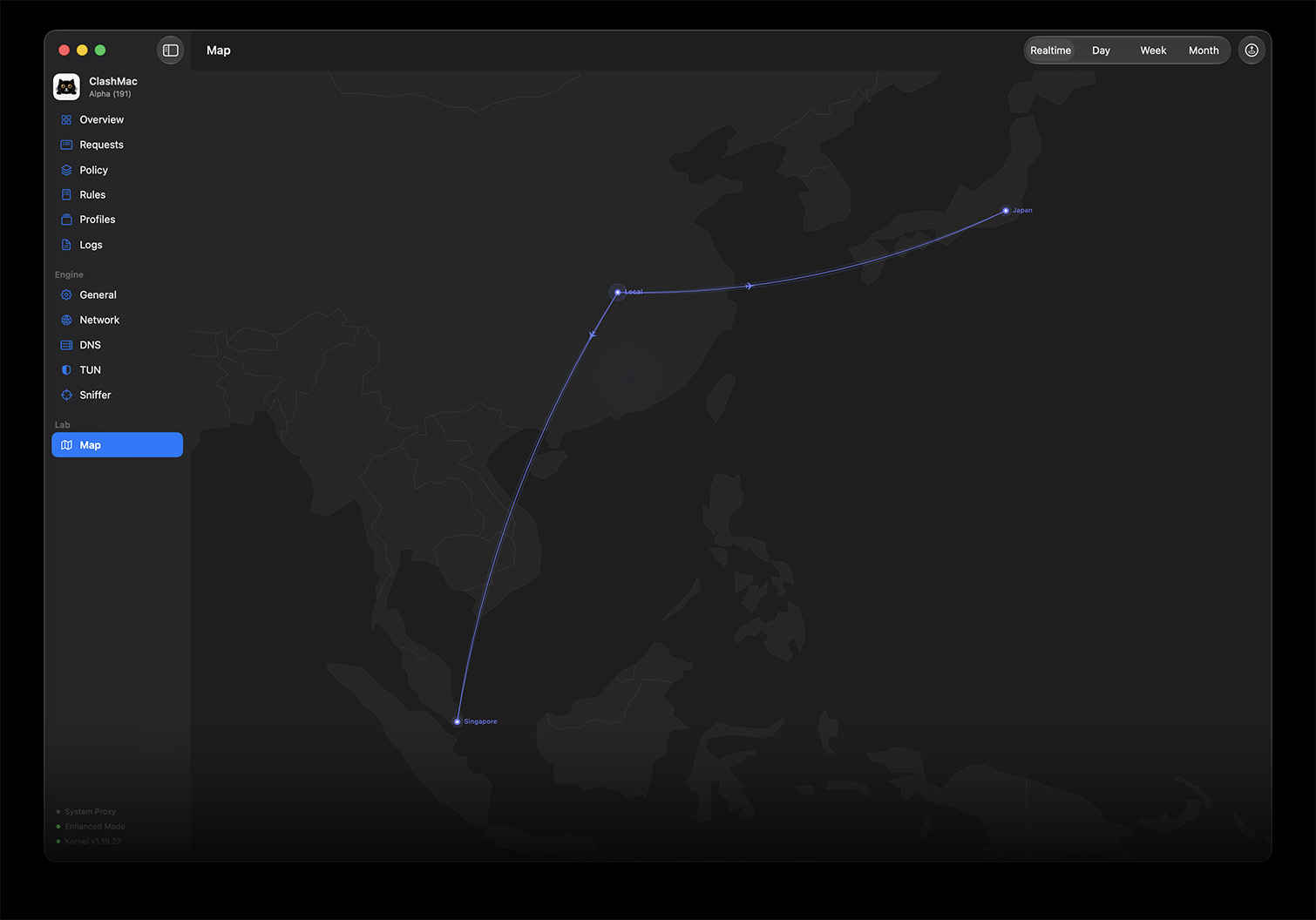
Take off from your city, arc across the globe, land at proxy nodes. Every active connection is a flight.

Explore Route Map Guide ➔
ClashMac Route Map ClashMac Route Map

Adaptive Traffic Paths

Path width and density adjust automatically based on real-time bandwidth and data transfer rate

Real-time & Historical Audits

Track active live flights dynamically, or switch to Day/Week/Month maps to inspect historical data footprint

Dual-Segment Hop Tracing

Toggle "Show Targets" to display the full trace from your local city, through the proxy, to final server destinations

Dynamic Interactive Feedback

See bright mini-airplanes flying along the routes with expanding ripple animations on active geographic nodes

Features

Everything you need for network management on macOS

Read Full User Guide ➔

Dual-Mode Proxy Engine

  • System Proxy and TUN Enhanced Mode support
  • Run proxy modes independently or concurrently
  • Seamless switching with zero connection drops

3D Interactive Route Map

  • Real-time flight paths tracking active network flows
  • Multi-hop transit visualizer for nested proxy chains
  • Auto-refreshing layout with dark mode glow effects

Micro Menubar Dashboard

  • Real-time speed indicators and traffic graphs
  • Quick switching for proxy groups and nodes
  • Seamless rule matching and bypass toggles

Native Control Center

  • Modern native macOS glassmorphism dashboard
  • Real-time active connections and details panel
  • Filterable logs stream and layout memory

Smart Config Management

  • Quick local YAML import and URL subscriptions
  • Smart auto-naming and background updates
  • Built-in configuration syntax validation

Privileged Helper Daemon

  • Passwordless system proxy and TUN mode toggles
  • One-time authentication for helper service
  • Seamless background core restarts and upgrades

Developer Command Line

  • Dedicated cli command-line utility
  • Clean JSON output format for custom scripting
  • One-click copy proxy commands to terminal

Tailored macOS Experience

  • Adaptive system auto-launch and trusted Wi-Fi bypass
  • Global keyboard shortcuts for power users
  • Bilingual support for English and Chinese